Unified Inbox
Think people, not apps.
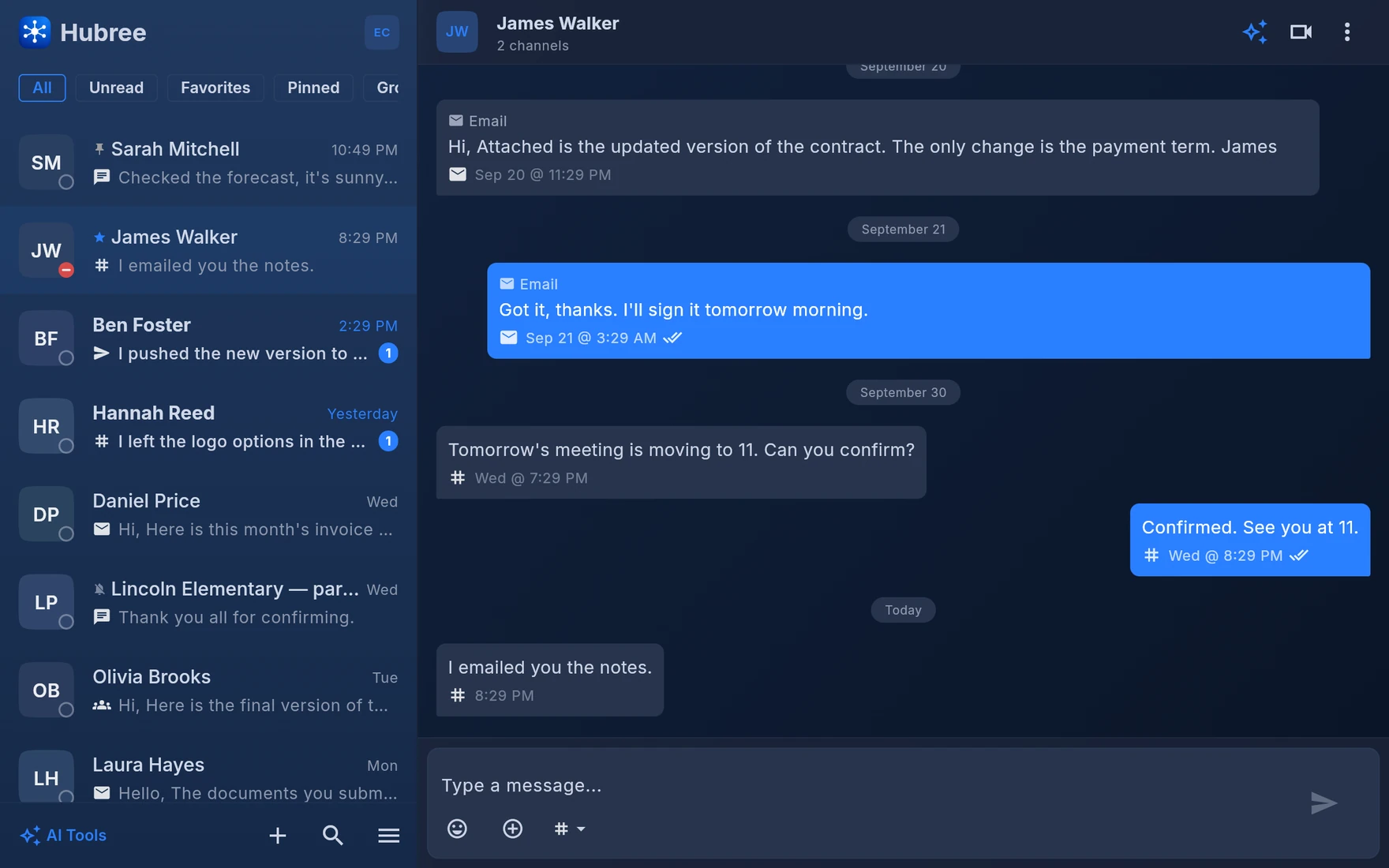
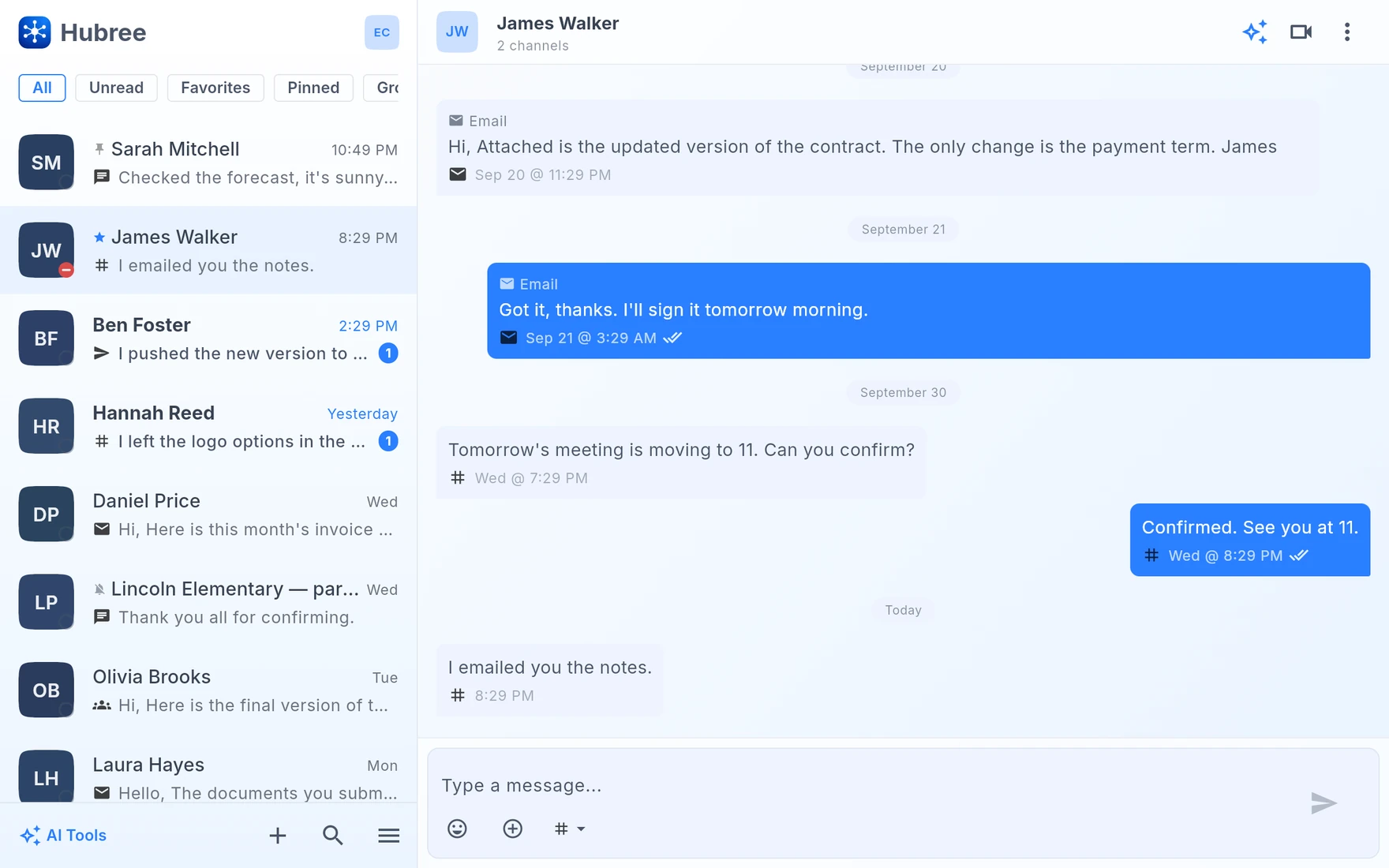
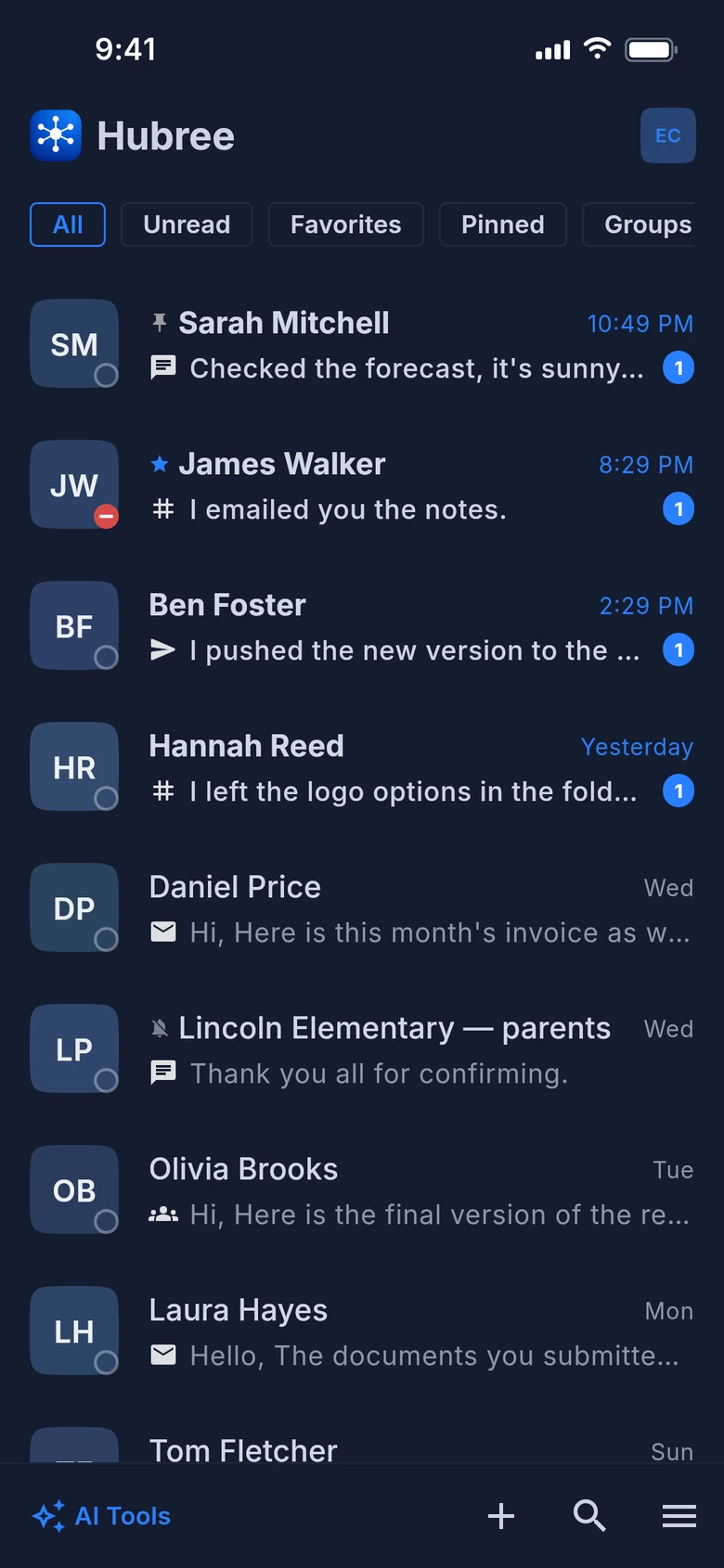
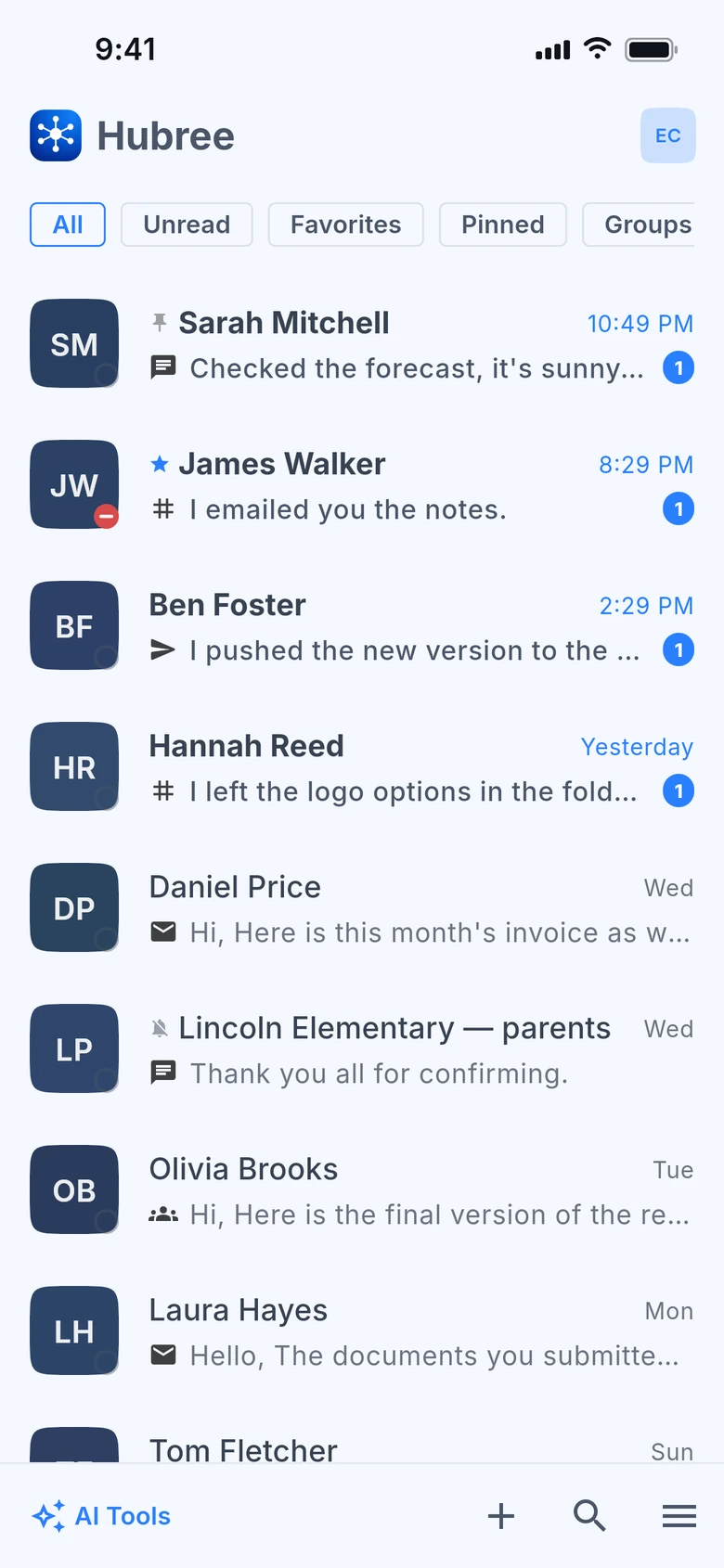
The heart of Hubree is a contact-first inbox. Messages arrive from any channel and are merged into one timeline per person, in order. You think of talking to Alice; Hubree remembers which app she wrote from.
Try it free →Highlights
Everything you need
One thread per person
Email, SMS, WhatsApp, Slack, Teams and Hubree messages from the same contact appear in one conversation, sorted by time, with a small badge telling you where each one came from.
Per-channel view
Need only the emails with a contact? Tap the channel badge and the thread narrows to that channel. Tap again and the full picture is back.
Lists, pins and favourites
Pin what matters, star the people you talk to most, and sort conversations into lists of your own — Work, Family, Clients. All of it lives on your account, so every device shows the same inbox.
Rules that do the sorting for you
Quiet a chatty group, pin anything from your manager, archive newsletters, add a client to a list the moment they write. Rules run on the server, so they work even when your phone is off.
Notify only when it matters
Mute a conversation for an hour, a day or forever — or keep it silent unless somebody mentions you. Blocking a sender really blocks them, on every channel they use.
Search, on the device first
Type a name or a phrase and results appear as you type, from what is already on your device. If that is not enough, ask Hubree to search the server — never without you asking.
Never lose a message you wrote
Drafts are kept per conversation. A message sent with no signal waits in an outbox and goes out when you are back online, exactly once.
Voice notes, on every channel
Record one from the composer. On WhatsApp it arrives as a real voice message; where a file cannot travel — SMS, Teams — it goes as a short link that plays in any browser.
Reply, forward, mention
Answer a specific message, forward one to another conversation, and type @ in a group to mention someone — it arrives as a real mention on WhatsApp, Slack, Signal, Telegram and Hubree.
Formatting that survives the trip
Bold, italics, strikethrough, code, quotes and lists, written once and delivered in each network’s own format wherever the network has one. Code pasted in Slack shows up as code, not as a row of backticks.
Know where a message is
Ticks for sent, delivered and read wherever the network reports them. A message that could not go out says why, under the message, instead of spinning forever.
Share into Hubree
Pick Hubree in any app’s share sheet — a photo, a page, a file — then choose who gets it and on which channel.
Every platform, in sync
Android, iOS, macOS, Windows, Linux and the web. Read on the phone, reply from the laptop; the server keeps every device on the same page in real time.
In the app
See it on your devices
Get started
Think people, not apps.
Hubree is free to start. No credit card required.
Create your account →