Privacy & Security
Your data is yours. Period.
Privacy is not an afterthought — it shapes how Hubree is built. Where we can keep data off our servers, we do. Where the unified inbox needs the server to read a message to file it, we say so instead of pretending otherwise. And because one app now holds all your conversations, it gets two locks: one on the account, one on the device.
Try it free →Security & privacy
Two locks: one on your account, one on your device.
Hubree holds every conversation you have, so it guards them twice — at the door of your account, and on the phone or computer in your hands. Both are optional and take a minute to switch on.
Two-step sign-in
Turn it on and signing in also asks for a six-digit code from an authenticator app on your phone. Someone who finds out your password still cannot get into your account.
- Works with the authenticator you already use — Google or Microsoft Authenticator, Authy, 1Password and others
- Hubree offers to set it up right after you register or sign in; it takes about a minute
- Recovery codes get you in if you lose or change your phone
- We email you whenever it is switched on or off
Unlock with your face or fingerprint
Lock Hubree behind Face ID, Touch ID or your fingerprint, so a phone or laptop left on the table does not open your conversations to whoever picks it up.
- A PIN of your own for when the sensor will not read
- Locks straight away or after a few minutes — or with one tap, whenever you like
- While it is locked, your messages stay hidden, even in the list of open apps
- Only you can turn the lock off or change it
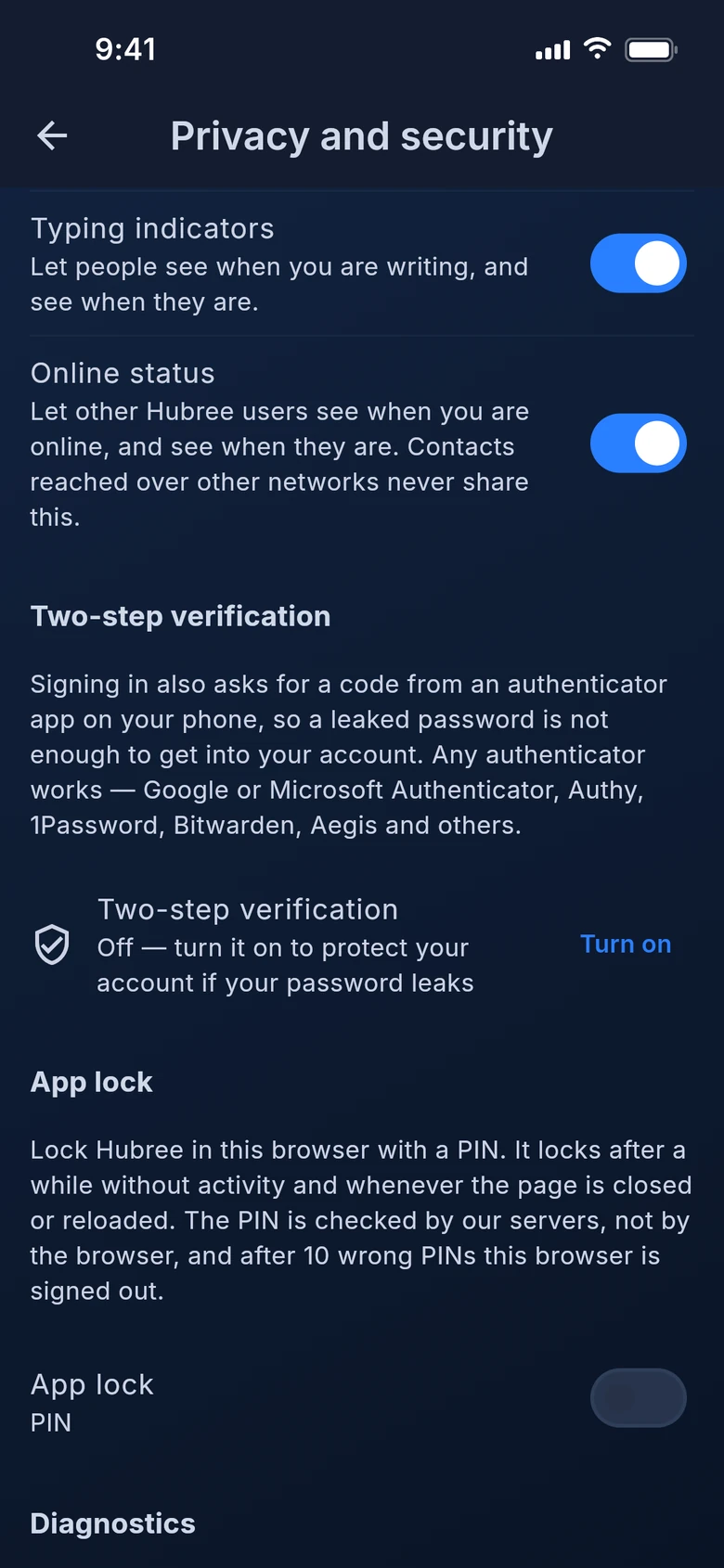
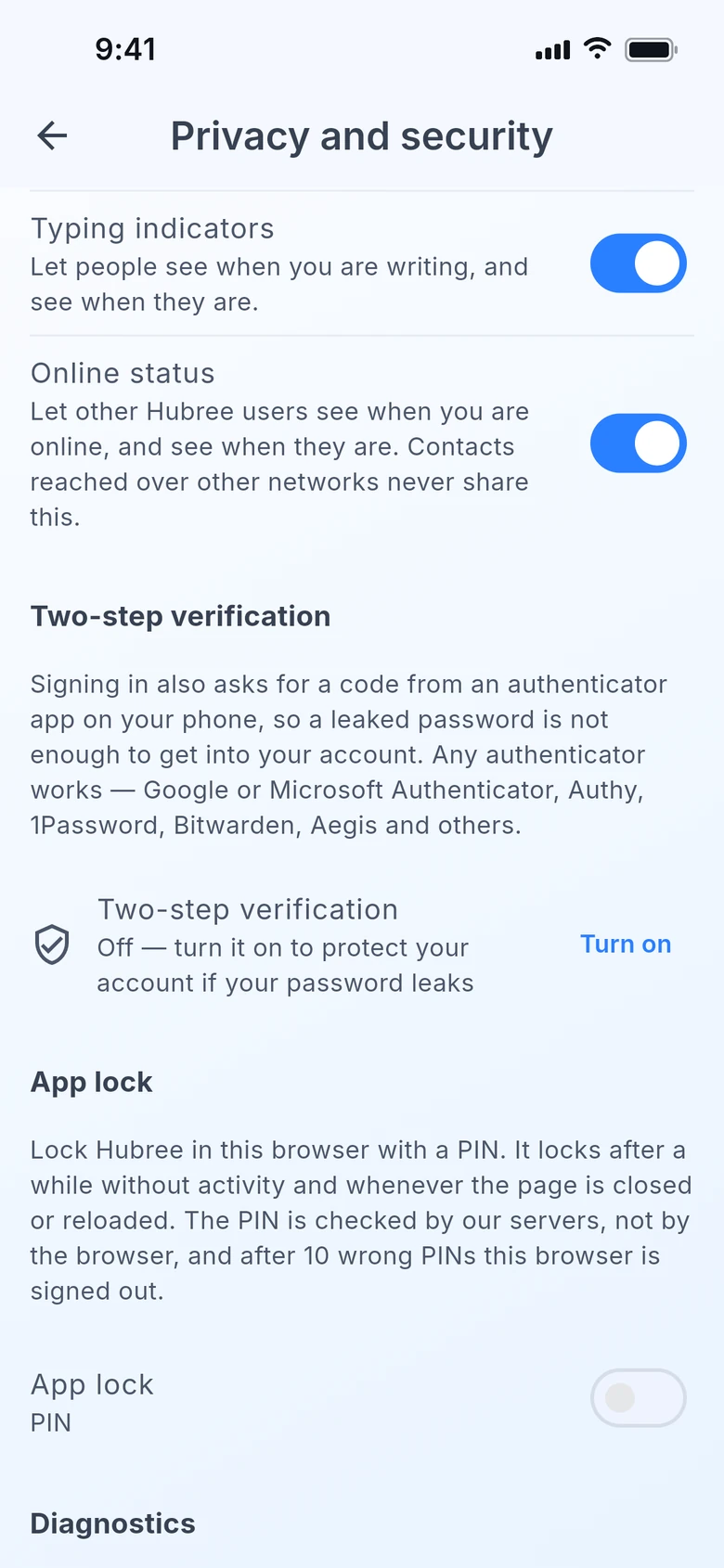
You will find both in the app under Settings › Privacy and security.
Highlights
Everything you need
No ads, no profiling
We do not sell your data, we do not profile you for advertising, and no third party analyses your communications.
Email never touches our servers
Your mail is fetched and sent by the app on your device — even the junk filter runs there. We store the shape of your accounts so your other devices can be set up, never a password or a message. Only when you ask the AI to summarise or draft something does that text leave your device, and it is not kept.
Calls are peer-to-peer
The audio and video of a call between two people go directly between the two devices, guests included. We relay only the handshake; only conferences use our media server.
Two-step verification
Turn it on in Settings › Privacy and security — it asks for your password first — and signing in asks for a code from an authenticator app as well — after your password, an emailed code, or Google or Apple. Any authenticator app works: Google or Microsoft Authenticator, Authy, 1Password, Bitwarden, Aegis and the rest. Hubree offers to switch it on right after you register or sign in.
Recovery codes, and a heads-up
Ten one-time recovery codes get you in if the phone is lost — they are shown once, so keep them somewhere safe. We email you whenever two-step verification is switched on or off or a recovery code is used, and turning it off takes a current code, so an unlocked laptop is not enough.
Lock the app with your face or fingerprint
Face ID, Touch ID or your fingerprint — whatever your device uses — with a PIN behind it for when the sensor will not read. Lock straight away or after a few minutes, and lock on demand. While locked, Hubree is hidden in the app switcher and, on Android, kept out of screenshots.
Only you can change the lock
Switching the lock off or changing it asks for your PIN, face or fingerprint first. In the apps your PIN never leaves your device. In the web version the lock is a PIN that our servers check, so it cannot be removed by clearing what the browser stores — and ten wrong PINs sign that browser out.
Encrypted where it lives
Channel credentials are encrypted on our servers; mail passwords and tokens live in your device’s secure storage; the mail index on the device is encrypted.
Honest about bridges
To merge WhatsApp, Slack or Signal into one inbox, our server has to read those messages as they pass through. Signal in particular is decrypted on our side. We spell this out in the privacy policy.
Your data, on request
Export everything on your account as a file whenever you like, and delete the account from the app or from this site without asking anyone.
In the app
See it on your devices
Get started
Your data is yours. Period.
Hubree is free to start. No credit card required.
Create your account →