Think people,
not apps.
Hubree merges every message — email, SMS, WhatsApp, Slack, Teams, Telegram and your own Hubree chats — into a single, contact-first inbox. One thread per person. Every channel. And when typing is not enough, call them from the same place.
30 days free with everything on, no card needed. On the web today; apps for iOS, Android, macOS, Windows and Linux on the way.
Works with the platforms you already use
And any other chat app on your Android phone, through the notification bridge.
Why Hubree
Communication the way your brain works.
You think of talking to Alice, not of opening Slack, then checking email, then looking at WhatsApp. Hubree works the same way.
Contact-first, always
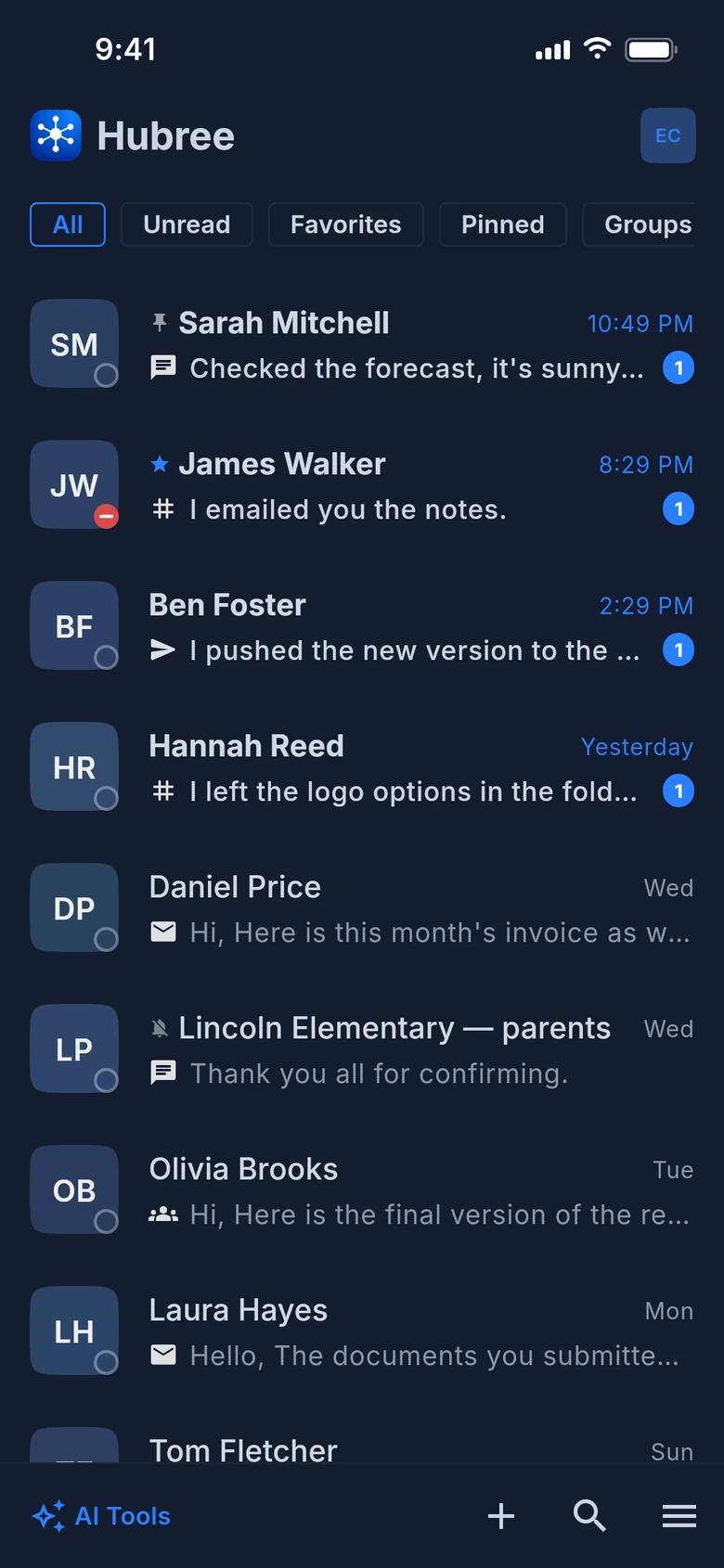
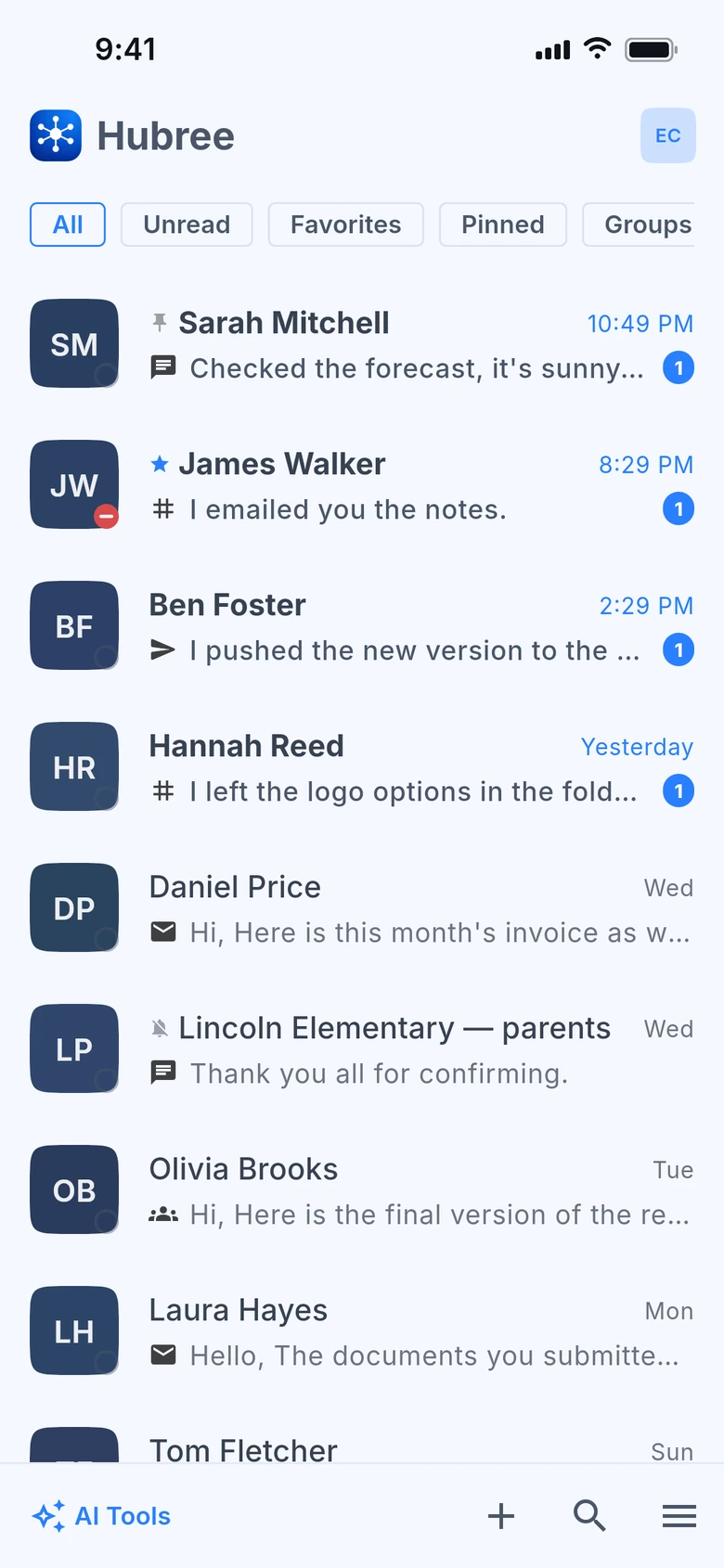
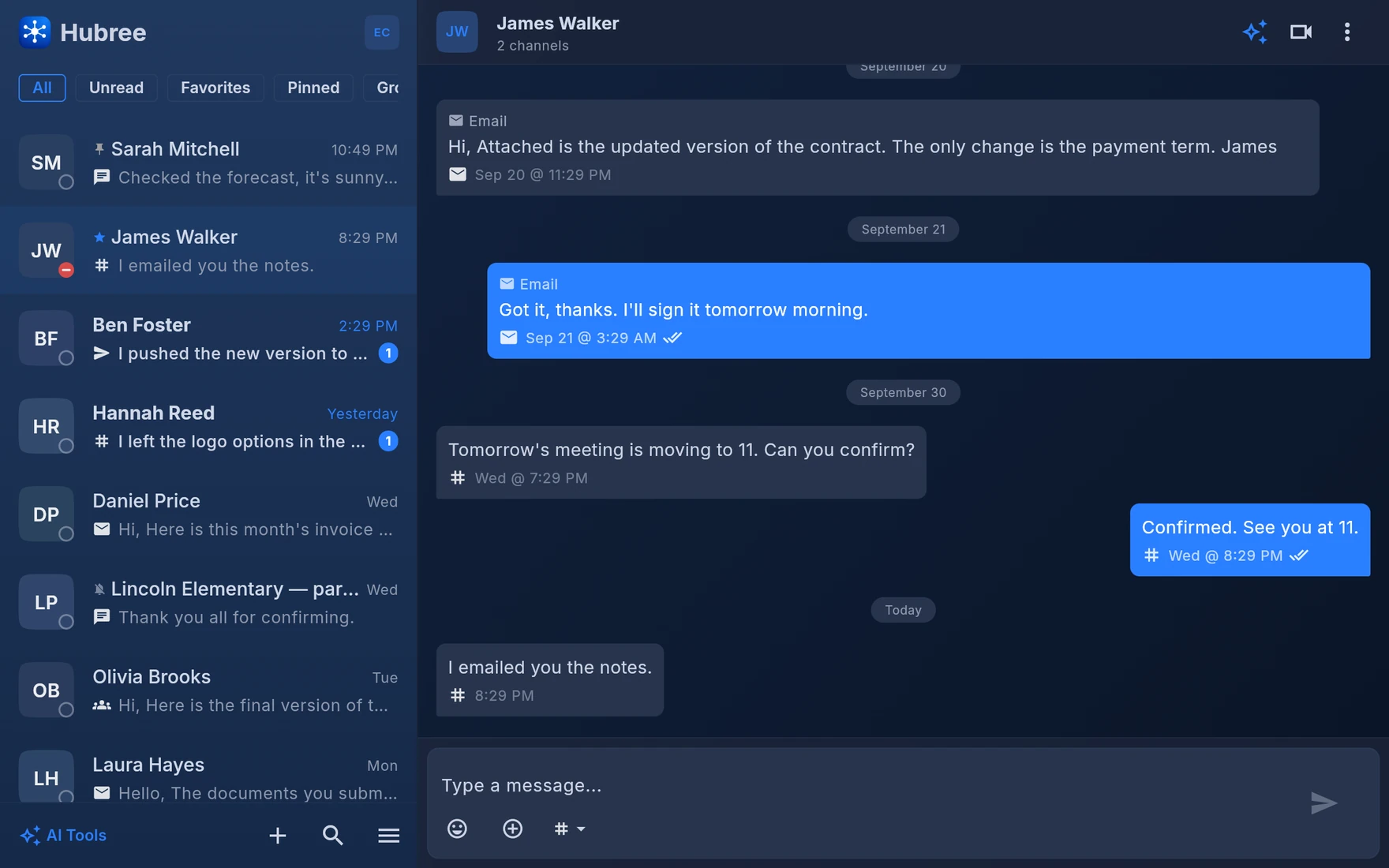
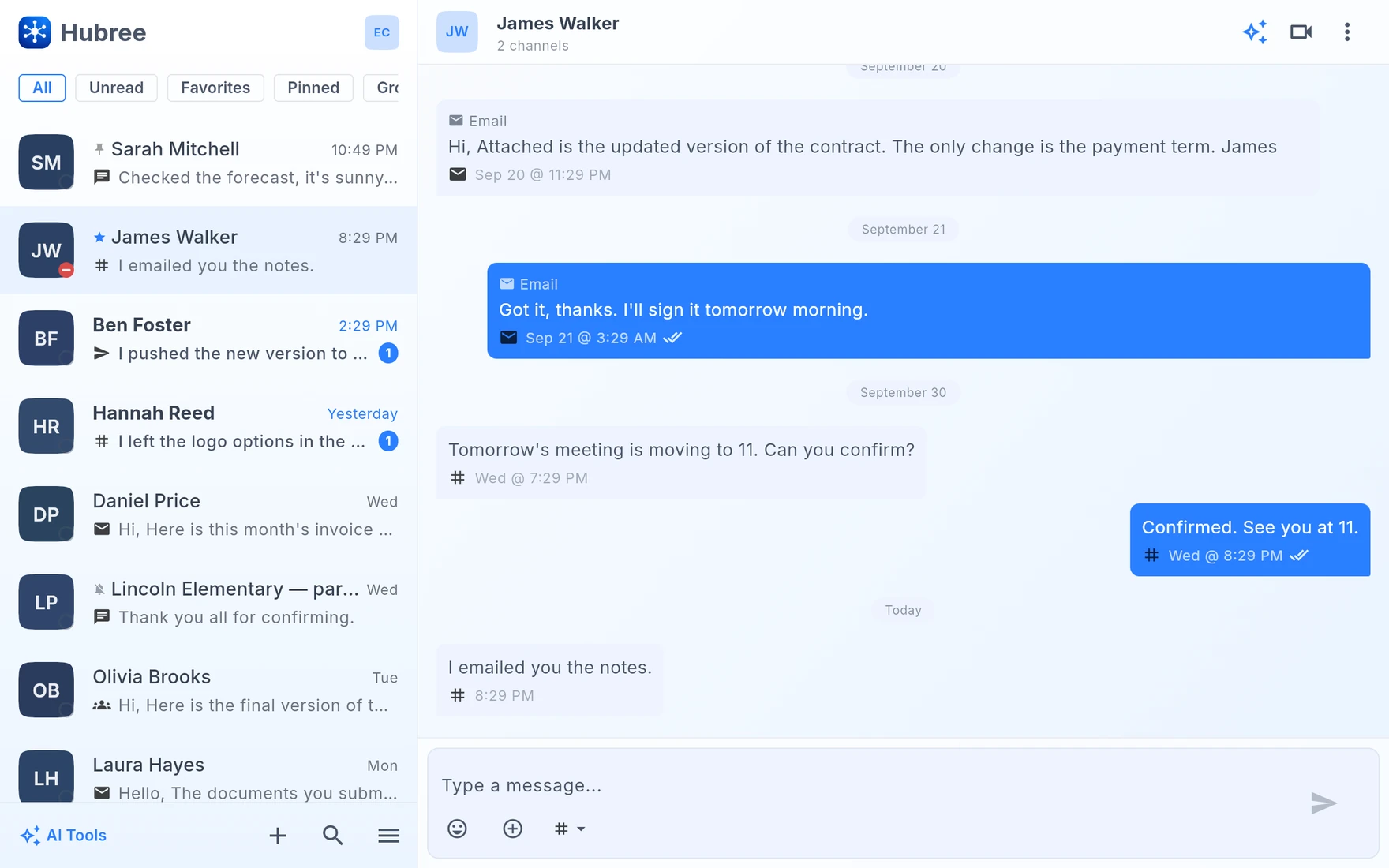
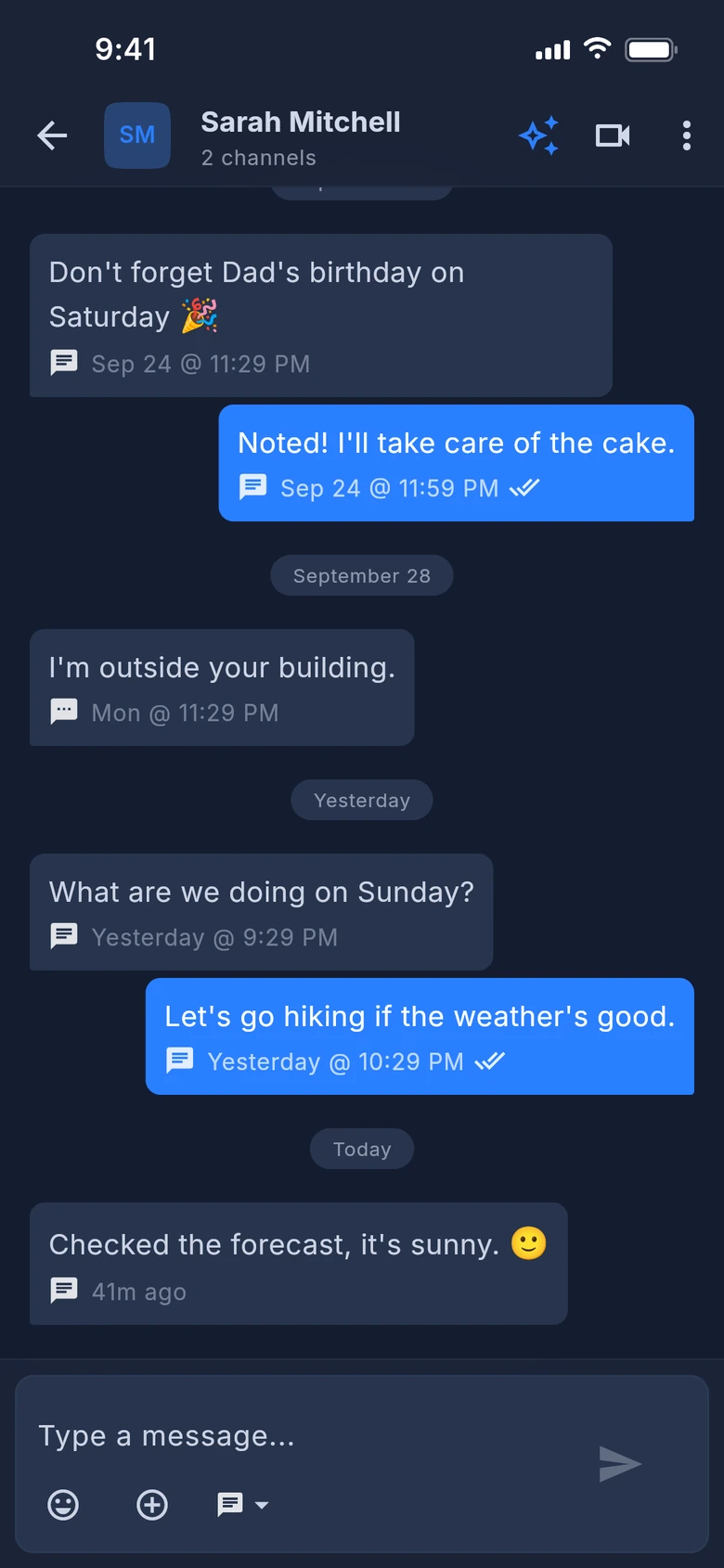
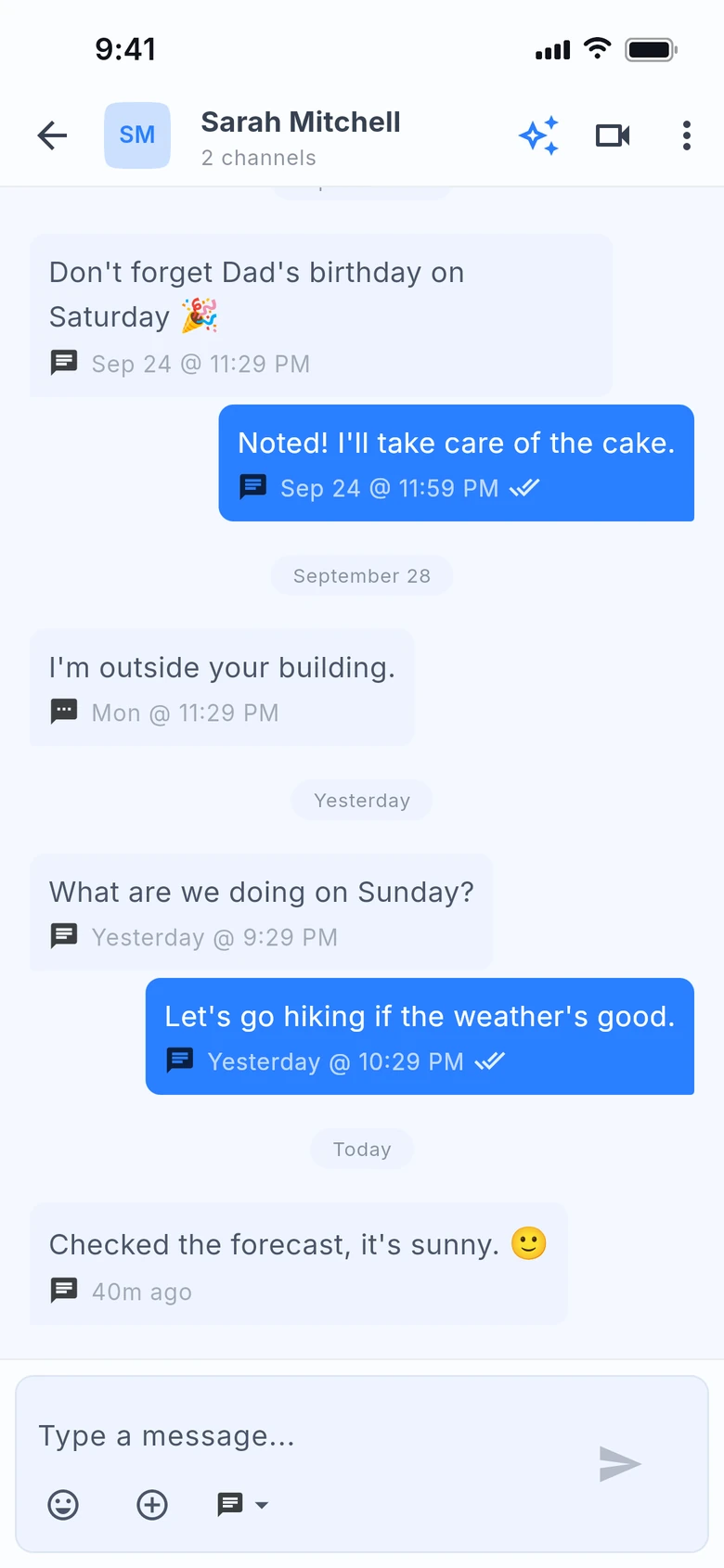
Every message from every channel with a contact lands in one thread. No context switching, no hunting.
Sync across all devices
Receive an SMS on your phone. Read and reply on your desktop. Everything synced in real time.
Voice & video calls
Call from the conversation, on phone or desktop: one to one, in a group, or anyone at all through a link — no Hubree account needed on their side.
AI where it helps
Summarise a busy thread, draft a reply, search in plain language, get a daily "what you missed". Useful tools, not chatbot gimmicks.
Android notification bridge
Your phone captures notifications from almost any chat app. Reply to Telegram or Signal from your computer — without those apps installed there.
A real email client
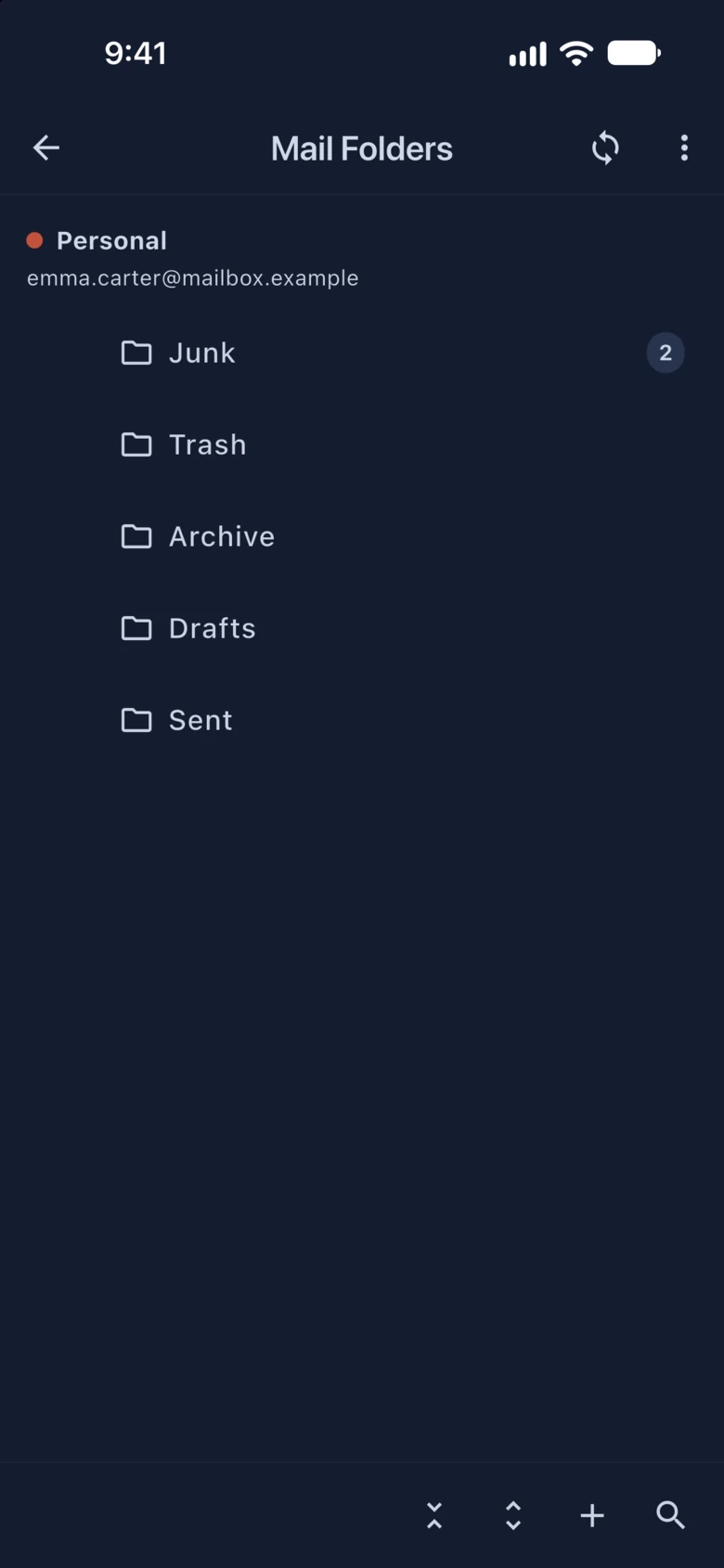
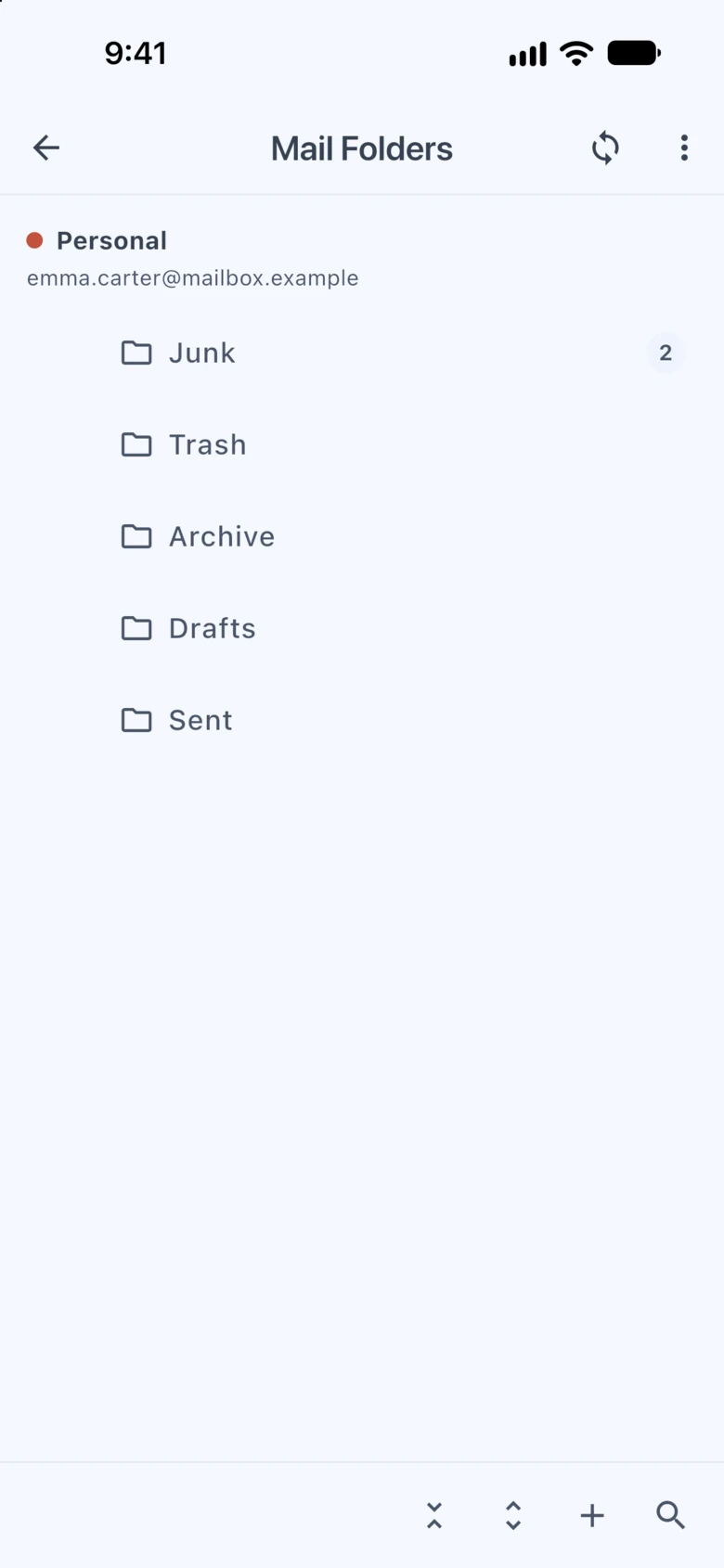
Multiple accounts, folder trees, rich compose, rules and a junk filter that learns — handled entirely on your device, in the apps for phone and computer. Our servers never store your mail.
An inbox that sorts itself
Lists, pins, rules that run on the server, mute until mentioned, blocking that blocks. Set it once; every device follows.
Your data is yours
No ads, no profiling, no selling. Two-step verification with any authenticator app, an app lock that opens with your face or fingerprint, and an honest privacy policy.
Security & privacy
Two locks: one on your account, one on your device.
Hubree holds every conversation you have, so it guards them twice — at the door of your account, and on the phone or computer in your hands. Both are optional and take a minute to switch on.
Two-step sign-in
Turn it on and signing in also asks for a six-digit code from an authenticator app on your phone. Someone who finds out your password still cannot get into your account.
- Works with the authenticator you already use — Google or Microsoft Authenticator, Authy, 1Password and others
- Hubree offers to set it up right after you register or sign in; it takes about a minute
- Recovery codes get you in if you lose or change your phone
- We email you whenever it is switched on or off
Unlock with your face or fingerprint
Lock Hubree behind Face ID, Touch ID or your fingerprint, so a phone or laptop left on the table does not open your conversations to whoever picks it up.
- A PIN of your own for when the sensor will not read
- Locks straight away or after a few minutes — or with one tap, whenever you like
- While it is locked, your messages stay hidden, even in the list of open apps
- Only you can turn the lock off or change it
You will find both in the app under Settings › Privacy and security.
More about privacy →Deep dives
Explore every feature
Unified Inbox
Every conversation with a person — email, SMS, WhatsApp, Slack, Hubree and more — lands in one thread. Filter by channel when you need to, forget about apps the rest of the time.
All Your Channels
Hubree messaging, email, SMS, WhatsApp, Slack, Microsoft Teams, Messenger, Instagram, Telegram and Signal. Connect a channel once, on the server, and every device gets it.
Voice & Video Calls
Voice and video calls straight from the conversation — one to one, in a group, or with anyone at all through a link, no Hubree account needed on their side.
Email Management
Multiple accounts, full folder trees, rich compose, rules and a junk filter that learns from you — with your mail handled entirely on your device, in the apps. Our servers never store or send your email; the only time any of it reaches us is when you ask the AI for a summary.
Android Notification Bridge
Grant notification access once and your Android phone brings Telegram, Signal, personal Teams, Messenger and almost any chat app into the inbox — so you can read and reply from your desktop.
AI Tools
Summarise a thread or today's unread mail, draft a reply, search in plain language, and get a daily 'what you missed' — AI where it actually saves time.
Privacy & Security
No ads, no profiling, no selling data. Two-step verification with any authenticator app, an app lock that opens with your face or fingerprint, email handled on your device, calls peer-to-peer — and an honest account of what our servers must see to merge your channels.
In the app
The same inbox on your desk and in your pocket
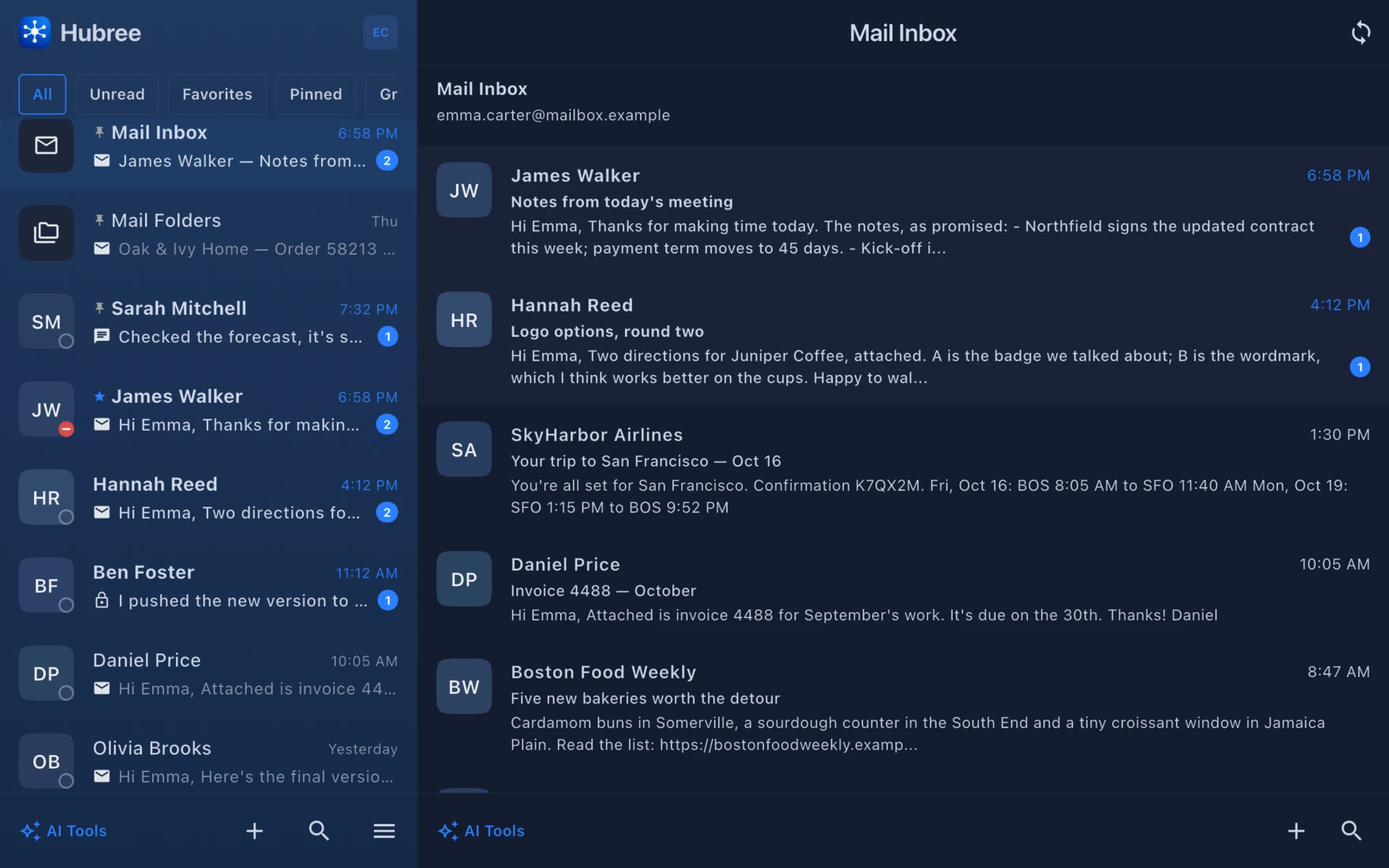
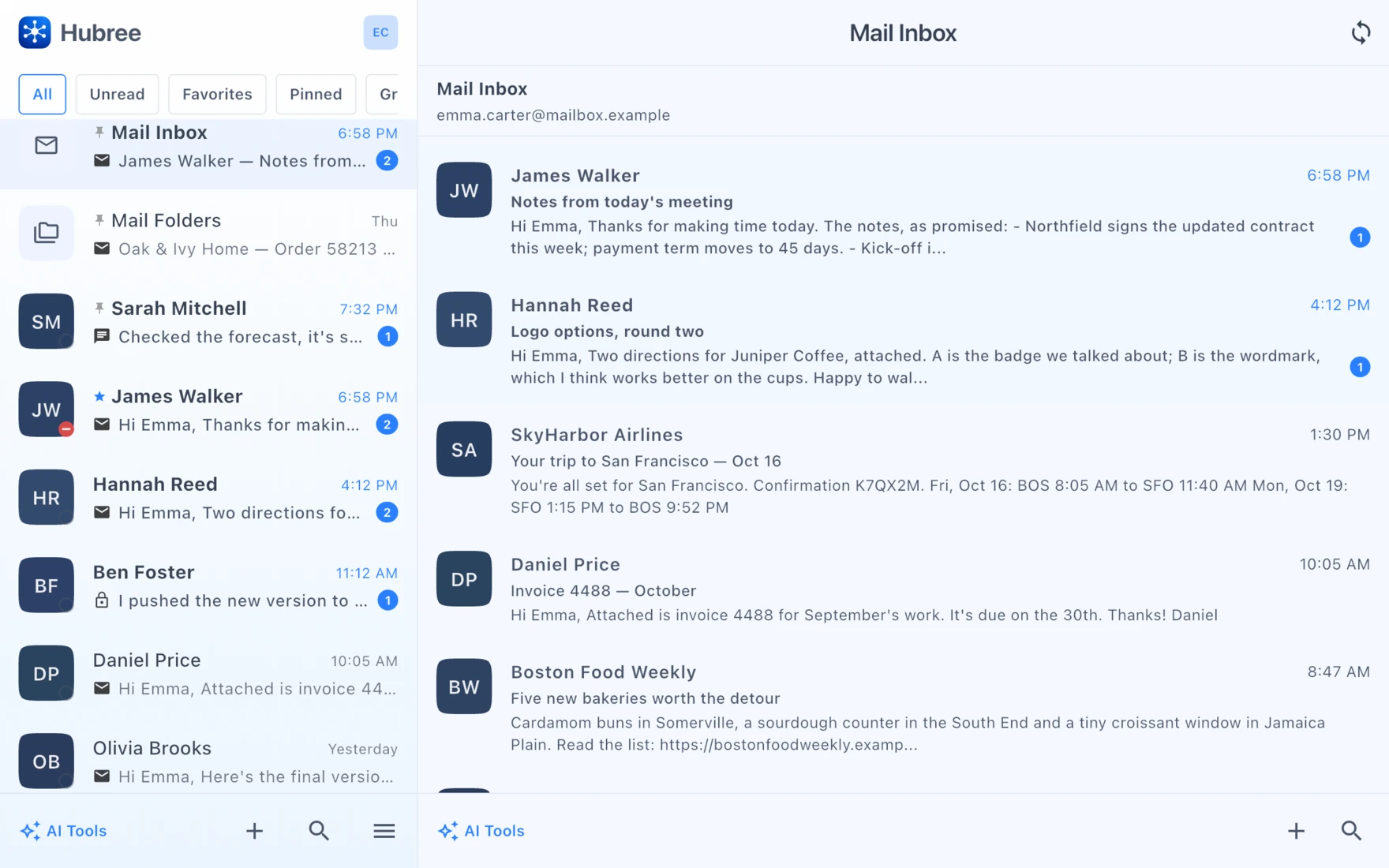
And your email, right next to your chats
Mail Inbox gathers every account’s inbox in one list; Mail Folders opens every folder of every account.
We do not use your data.
Hubree processes your messages only to deliver them to you. We do not analyse conversations, build profiles, serve ads, or sell data. Email stays on your device, calls go peer-to-peer, credentials are encrypted, the account can ask for a code from your authenticator app and the app can lock behind your fingerprint or face — and where merging a channel means our server has to read a message to file it, our privacy policy says so in plain words.
Our privacy commitment →Questions
Hubree, in a few answers
What is Hubree?
Hubree is a messaging app with one inbox for all your channels. Email, SMS, WhatsApp, Slack, Microsoft Teams, Telegram, Signal and Hubree’s own chat arrive in one place, and everything a person sends you — from whichever app — lands in one thread with them. You can call them from the same thread.
Which apps and networks does Hubree bring together?
Hubree messaging; email from any IMAP/SMTP account or Gmail; SMS and RCS through your Android phone; WhatsApp and Slack; Microsoft Teams work and school accounts through Microsoft’s own API; Messenger and Instagram for Facebook Pages and professional accounts; Telegram and Signal; and almost any other chat app through the Android notification bridge.
Do the people I talk to need Hubree?
No. They keep using WhatsApp, Slack, email or SMS as before, and you read and answer all of it from Hubree. Calls work with anyone too: send a call link and they join from a browser, no account needed.
Can I still see messages from one app only?
Yes. Tap a channel’s badge in a conversation and the thread narrows to that channel; tap it again and the whole conversation is back.
Does Hubree read or store my email?
No. Email is fetched and sent by the app on your own device, straight to your provider; our servers never store or send it. The one exception is when you ask the AI to summarise or draft something: that text is sent for the answer and not kept.
Which devices does Hubree work on?
Today in any modern browser, at my.hubree.app. Apps for iPhone, iPad, Android, Mac, Windows and Linux are on the way. One account works on all of them, and every device stays in sync: read on the phone, reply from the laptop.
How much does it cost?
Every new account starts with 30 days of everything, free, with no card needed. After that, plans start at €4.99 a month, VAT included.
Ready for one inbox to rule them all?
30 days free, everything on, no card. Start on the web today.